
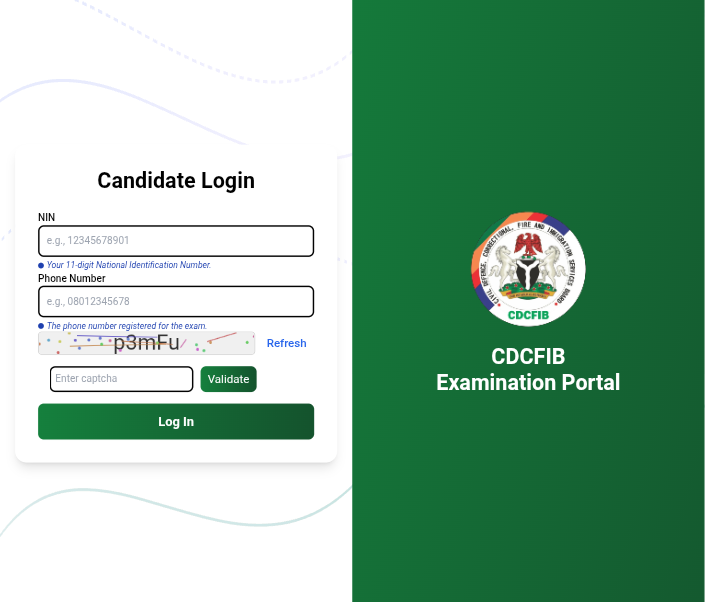
This is to inform candidates shortlisted for the CDCFIB 2025 recruitment online CBT examination that don’t have access to PC (Laptops and Desktop Computers) that they can still use their smartphones, I mean correct smartphones with at least 6GB RAM and above also having sharp front camera (web cam) to take their examination.
But below are some important procedures to take note of for successful results.
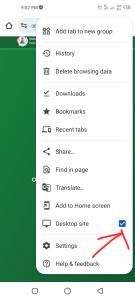
1. Use Google Chrome Browser, and make sure you turn the browser to “Desktop Site” without doing that you might not see all the 40 Questions for the Test.
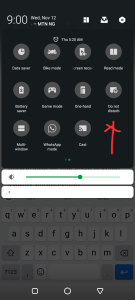
2. Make sure to turn on “DND” (Do not Disturb) mode on your phone to avoids incoming calls that will interfere with Network and distractions.
3. For better results, I suggest you use Computers.
Bonus:
- Try to login to the portal at least 30 minutes before your schedules to do face verification an also test the capabilities of your device.
- Try and get calculator or paper and pen close to you as there are simple arithmetic questions that without calculating device you can run out of time.
Link to Take Exam:
I wish you all the Best!!!
READ ALSO: Link to Apply for WAEC Proctors Recruitment for 2026 CBT WASSCE